
TIFF to JPG: The Ultimate Guide to Convert TIFF Images to JPG Format
Have you ever received a massive TIFF file that you couldn't open on your phone, share on WhatsApp, or upload to a website? Learn everything about TIFF to JPG conversion — what these formats are, why conversion matters, and how to do it without losing quality.
1What Is a TIFF File and Why Does It Matter?
TIFF (Tagged Image File Format) is a high-quality image format developed in the 1980s and widely used in professional photography, printing, publishing, and medical imaging. Unlike most image formats, TIFF stores data with minimal or no compression, which means every single pixel of the original image is preserved.
✅ TIFF Advantages
- • Lossless quality — 100% original data preserved
- • Professional standard for print & publishing
- • Multi-page support (scanned documents)
- • Wide color depth — up to 32-bit
❌ TIFF Drawbacks
- • Massive file sizes (30–100 MB per image)
- • Not supported by web browsers
- • Can't share via email (too large)
- • Incompatible with many apps & devices
A single TIFF photograph can easily be 30–100 MB, compared to a 2–5 MB JPG version of the same image. This makes TIFF impractical for email, websites, and social media.
2Why Should You Convert TIFF to JPG?
Dramatically Reduce File Size
Converting TIFF to JPG reduces file size by 80–95%. A 50 MB TIFF becomes a manageable 2–5 MB JPG. For hundreds of images, this saves gigabytes of storage.
Universal Compatibility
JPG works on every device, browser, email client, and social media platform. TIFF has inconsistent support — many smartphones and web apps can't open .tiff files.
Faster Web Loading
Browsers cannot display TIFF files natively. Converting TIFF to JPG ensures your website loads quickly and images display perfectly across all devices.
Easy Sharing
Most email services cap attachments at 25 MB. Converting to JPG makes your files instantly shareable via email, WhatsApp, Slack, and every other messaging platform.
Cost-Effective Storage
When you batch convert TIFF to JPG, you can reduce your storage consumption by up to 95%. For businesses managing large image libraries, this represents significant cost savings.
3How to Convert TIFF to JPG Online — Step by Step
Converting a TIFF image to JPG doesn't require expensive software or technical expertise. Here's how to do it using our free TIFF to JPG converter online:
Step 1: Upload Your TIFF File
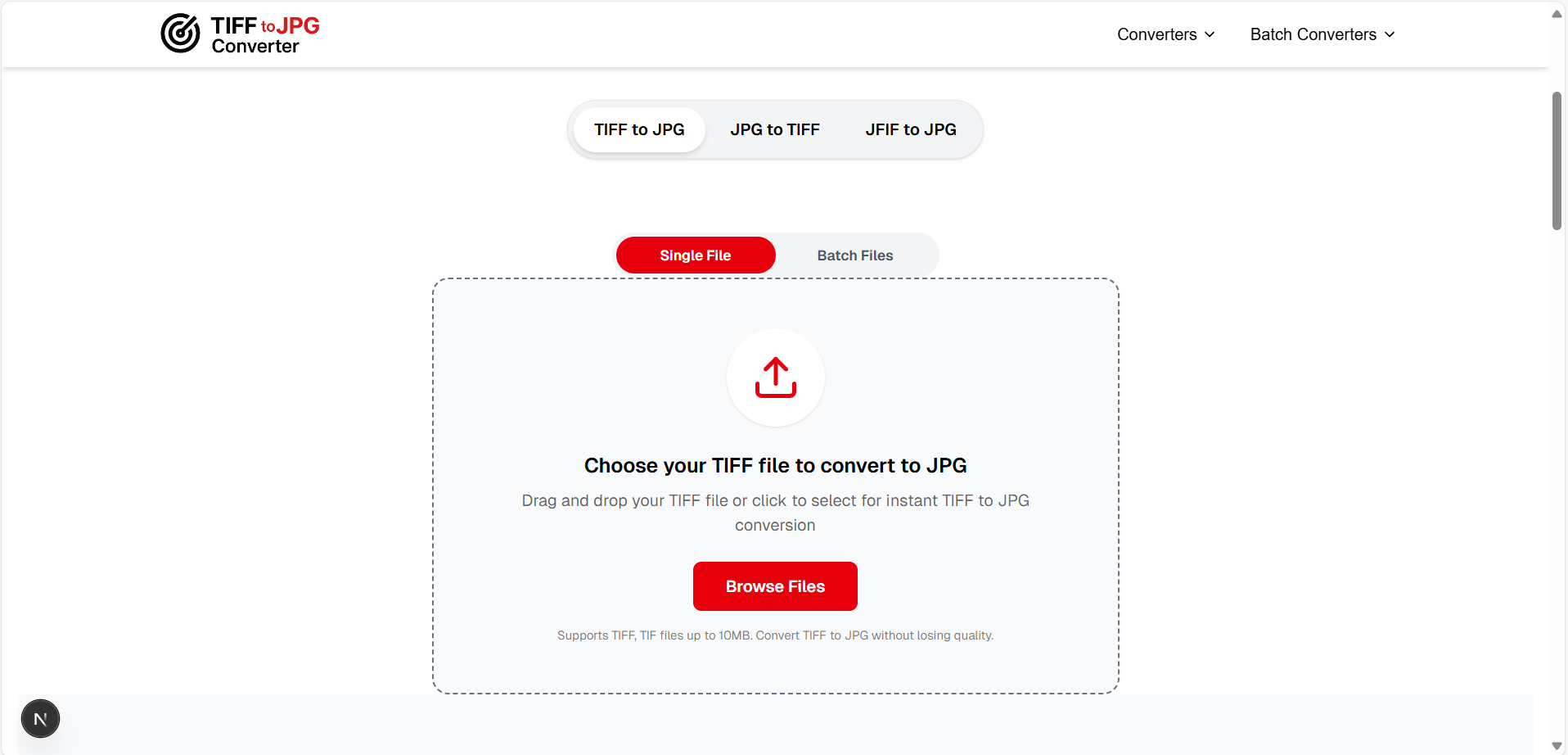
Visit tifftojpgconverter.com and drag your .tiff or .tif file onto the upload area, or click "Browse Files" to select it from your computer.
Step 2: Click Convert
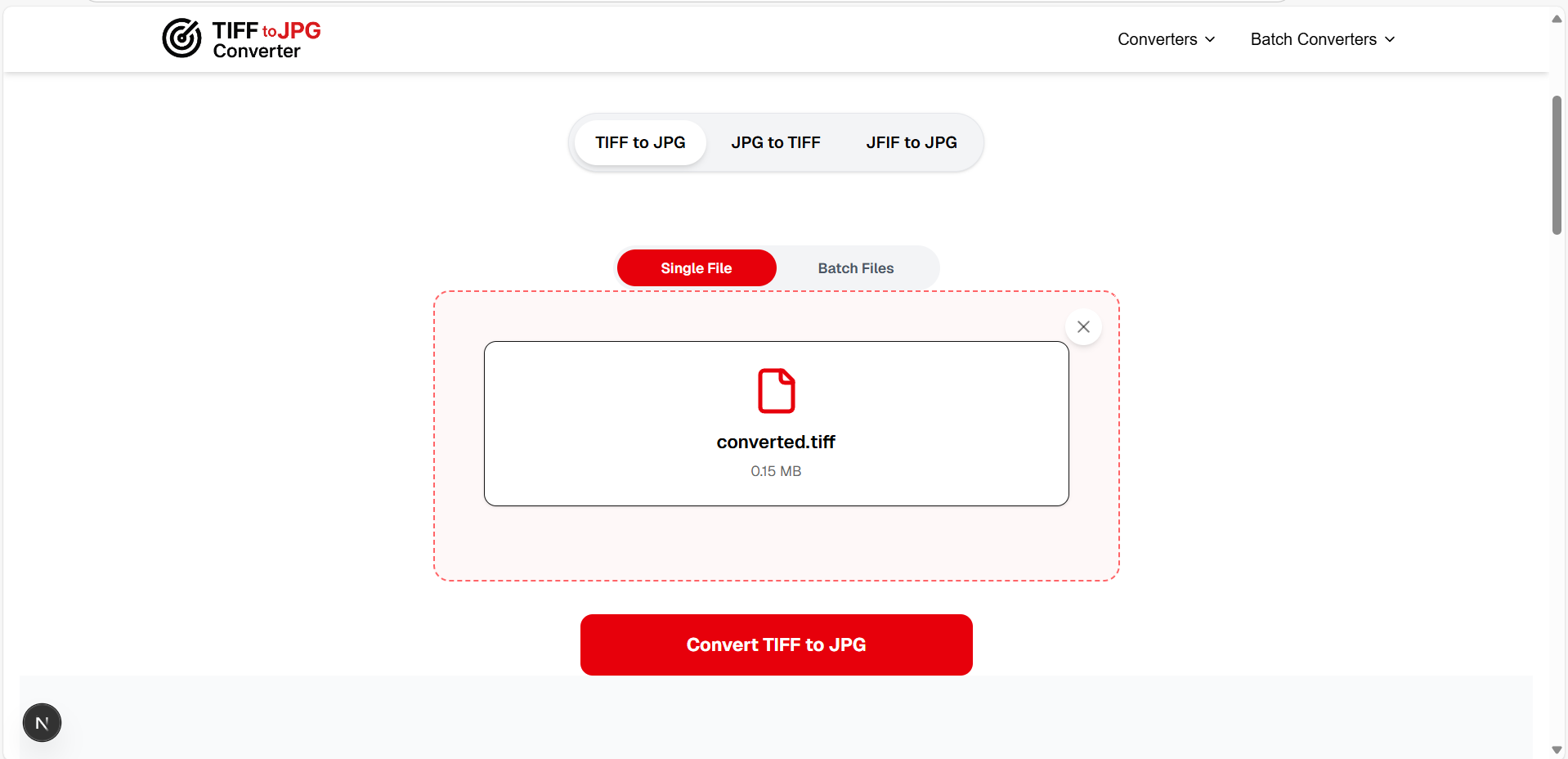
Press the "Convert TIFF to JPG" button. Our converter processes your file instantly — right in your browser, with no server uploads required.
Step 3: Download Your JPG
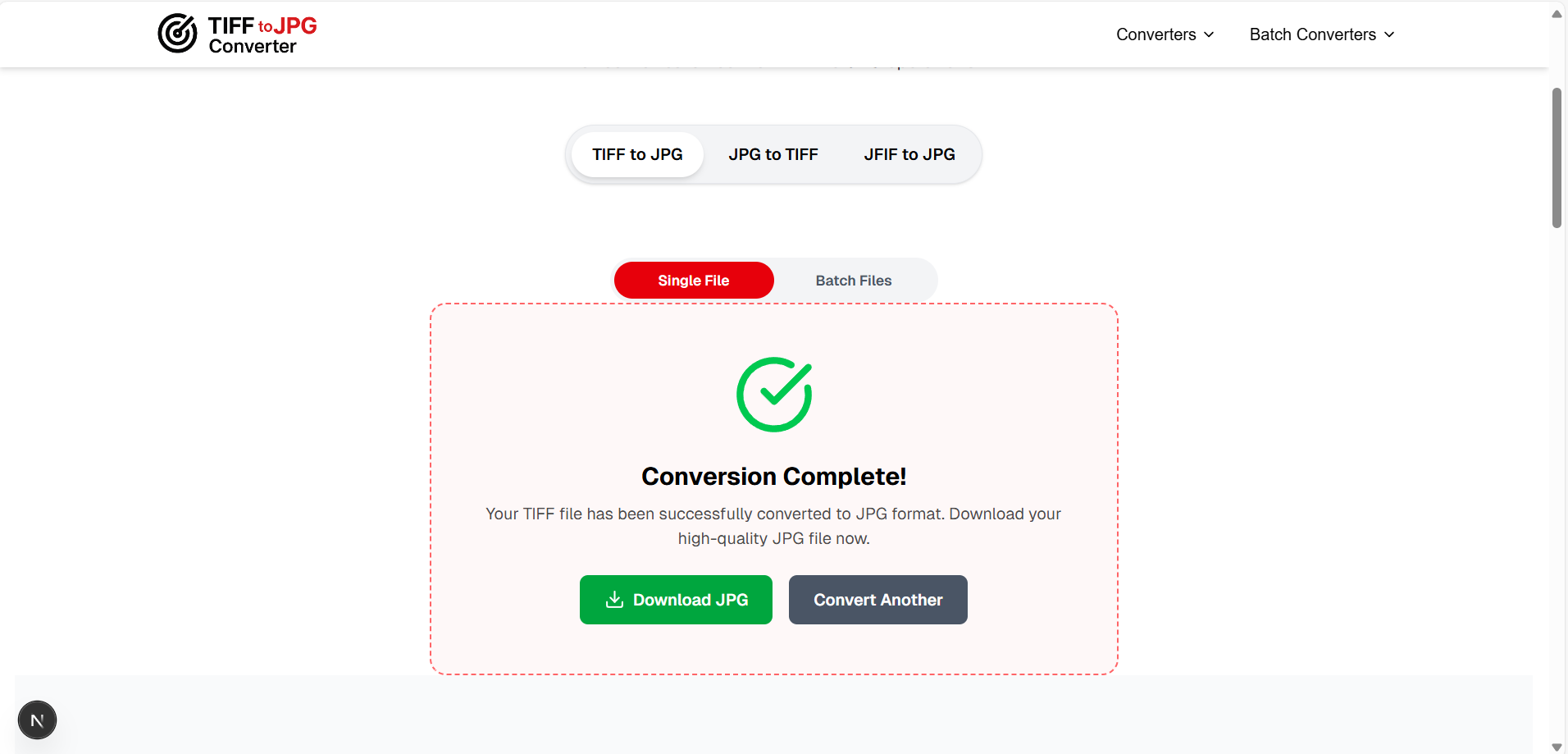
Once conversion is complete, click "Download JPG" to save your converted file. That's it — three steps, zero hassle.
4TIFF vs JPG: What's the Difference?
One of the most commonly asked questions is: "Is TIFF better than JPG?" The answer depends on your use case.
| Feature | TIFF | JPG |
|---|---|---|
| Compression | Lossless (no quality loss) | Lossy (slight reduction) |
| File Size | Very large (30–100 MB) | Small (1–5 MB) |
| Web Support | ❌ Not supported | ✅ Universal |
| Best For | Printing, archiving | Web, email, social media |
| Color Depth | Up to 32-bit | 8-bit (24-bit color) |
| Multi-page | ✅ Yes | ❌ No |
The verdict: Use TIFF when you need maximum quality for printing or archival. Use JPG for everything else — web, email, social media. A reliable TIFF to JPEG converter makes switching between them effortless.
5How to Convert TIFF to JPG Without Losing Quality
While JPG is technically a lossy format, modern JPG encoders at quality settings of 90–95% produce images that are visually indistinguishable from the original TIFF. Here's how to ensure the best results:
Use a high-quality converter — Our tool uses 90% quality by default, which preserves excellent detail.
Don't re-compress — Always convert from the original TIFF source, not from an already-compressed JPG.
Resolution stays the same — A 4000×3000 TIFF becomes a 4000×3000 JPG. Only the file size changes.
Keep originals — For professional print work, keep TIFF as master copy and use JPG for sharing.
6Common Use Cases for TIFF to JPG Conversion
📸 For Photographers
Shoot in RAW/TIFF for maximum quality, then batch convert TIFF to JPG for client delivery, portfolio websites, and social media sharing.
🏢 For Office Workers
Scanners save documents as TIFF. Convert scanned documents from TIFF to JPEG to easily email, upload to HR systems, or attach to forms.
💻 For Web Developers
TIFF images cannot be displayed on websites. Any image for the web must be converted to JPG, PNG, or WebP for proper rendering.
🎓 For Students & Educators
Academic resources and historical archives are often TIFF. Convert them to JPG for easy access on any device for studying and presentations.
7Convert JPG to TIFF — Reverse Conversion
Sometimes you need the opposite: converting JPG to TIFF. This is common when submitting images for professional printing, archiving photos in a lossless format, or working with software that specifically requires TIFF input.
Our tool supports JPG to TIFF conversion as well. Simply switch the mode and upload your JPG file.
Try JPG to TIFF Converter →�Complete TIFF Toolkit
Beyond TIFF to JPG, we offer a complete suite of TIFF tools for every workflow — conversion, compression, splitting, merging, resizing, and more.
🔗More Conversion Tools
?Frequently Asked Questions
What is a TIFF file?
▼
TIFF (Tagged Image File Format) is a high-quality raster image format that stores data with minimal compression. It's widely used in professional photography, publishing, and medical imaging because it preserves every detail of the original image. TIFF files are typically much larger than JPG files but offer superior quality for printing and archival purposes.
How do I convert TIFF to JPG for free?
▼
You can convert TIFF to JPG for free using online tools like tifftojpgconverter.com. Simply upload your TIFF file, click "Convert," and download the JPG result. Our tool processes files locally in your browser, so your images are never uploaded to any server.
Why are TIFF files so large?
▼
TIFF files are large because they use lossless compression (or no compression at all), which preserves every pixel of the original image data. A single high-resolution TIFF photo can be 30–100 MB, while the equivalent JPG at 90% quality would be just 2–5 MB.
Can I batch convert TIFF to JPG?
▼
Yes! Our batch TIFF to JPG converter allows you to convert multiple TIFF files to JPG simultaneously. Upload up to 10 files at once, and download all your converted JPGs together. Perfect for photographers and businesses.
Is TIFF or JPG better for printing?
▼
TIFF is better for professional printing because it preserves 100% of the original image data. However, for standard photo prints (4×6, 5×7), a high-quality JPG at 90–95% compression is virtually indistinguishable from TIFF.
Do I lose quality converting TIFF to JPG?
▼
At quality settings of 90–95%, the quality difference between TIFF and JPG is invisible to the human eye. The only scenario where you'd notice is zooming 400%+ on a professional monitor. For web, email, and standard printing, JPG from TIFF maintains excellent quality.
Conclusion
Converting TIFF to JPG is one of the most common image conversion tasks, and for good reason. TIFF files offer unmatched quality but come with impractical file sizes for everyday use. Whether you need to share scanned documents, optimize images for your website, or simply make a file small enough to email, a reliable TIFF to JPG converter is an essential tool.
Our free online converter handles both single and batch conversions, supports reverse JPG to TIFF conversion, and processes everything locally in your browser for maximum privacy. No sign-ups, no fees, no file uploads — just instant, high-quality conversion.